Whiskybase offers several ways to communicate with other members. If messaging is not working for you, it might be because messaging is turned off by default.
How to enable messaging
To activate it, go to Edit profile, open Privacy, and check the box for "Receive messages from other Whiskybase users."
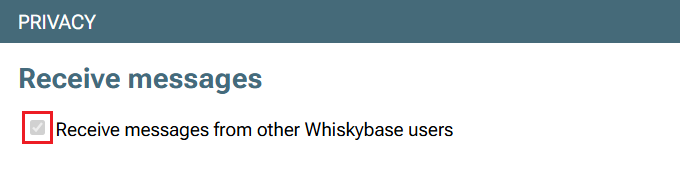
Once enabled, you will be able to send and receive messages from other members.
Who you can send messages to
Other members who have enabled messaging
You can only message people who have also activated the receive messages option in their privacy settings.Marketplace buyers and sellers
Messaging is always enabled for members who sell or buy on the Marketplace. This ensures smooth communication during transactions.Your friends
If you and another member are friends on Whiskybase, messaging between you is always available.Admins, moderators and specialists
These roles can send messages to all members when needed, for example when reviewing bottle submissions or checking rating issues.
We encourage communication and interaction between Whiskybase members. Feel free to help others, share your knowledge and recommend a good dram to anyone starting or continuing their whisky journey.
Note: Private messages are created and exchanged by members alone. Whiskybase does not monitor these conversations and cannot be held responsible for their content or for any agreements, transactions, or issues that arise from them. Members are responsible for their own communication and are encouraged to act with caution.
Was this article helpful?
That’s Great!
Thank you for your feedback
Sorry! We couldn't be helpful
Thank you for your feedback
Feedback sent
We appreciate your effort and will try to fix the article