Whiskybase Plus members can create Price Alerts for any bottle page on Whiskybase, helping you track bottles and buy at the right price.
On each bottle page, you will find an option to create or edit a Price Alert for that specific bottle as seen in the image below.
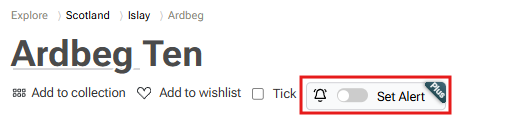
When you toggle the Price Alert switch, a menu will open where you can set your desired price.
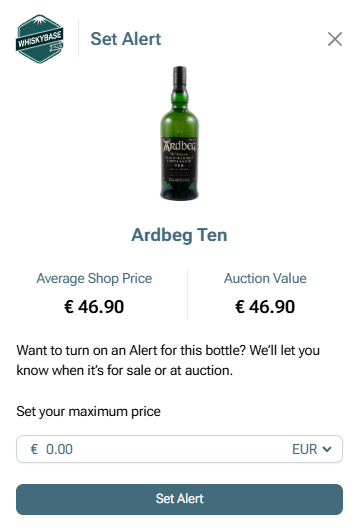
When a listing matches your set price, you will be notified so you can act quickly.
You can view and manage all your Price Alerts at any time from the Alerts tab on your profile page.
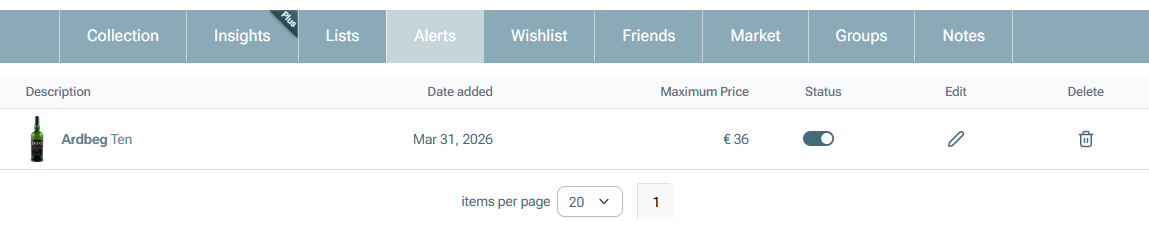
Note: You will also receive an alert when a bottle goes to auction.
Was this article helpful?
That’s Great!
Thank you for your feedback
Sorry! We couldn't be helpful
Thank you for your feedback
Feedback sent
We appreciate your effort and will try to fix the article