Your collection helps you keep track of the whiskies you own, including purchase details, personal notes, and more. Adding a bottle is simple and can be done from any whisky bottle's page.
1. How to add a bottle to your collection
Make sure you are logged in to your Whiskybase account.
Open the whisky page of the bottle you want to add. For example, Glen Ord 2017 DeDr.
On the whisky page, select Add to collection under the bottle's name.
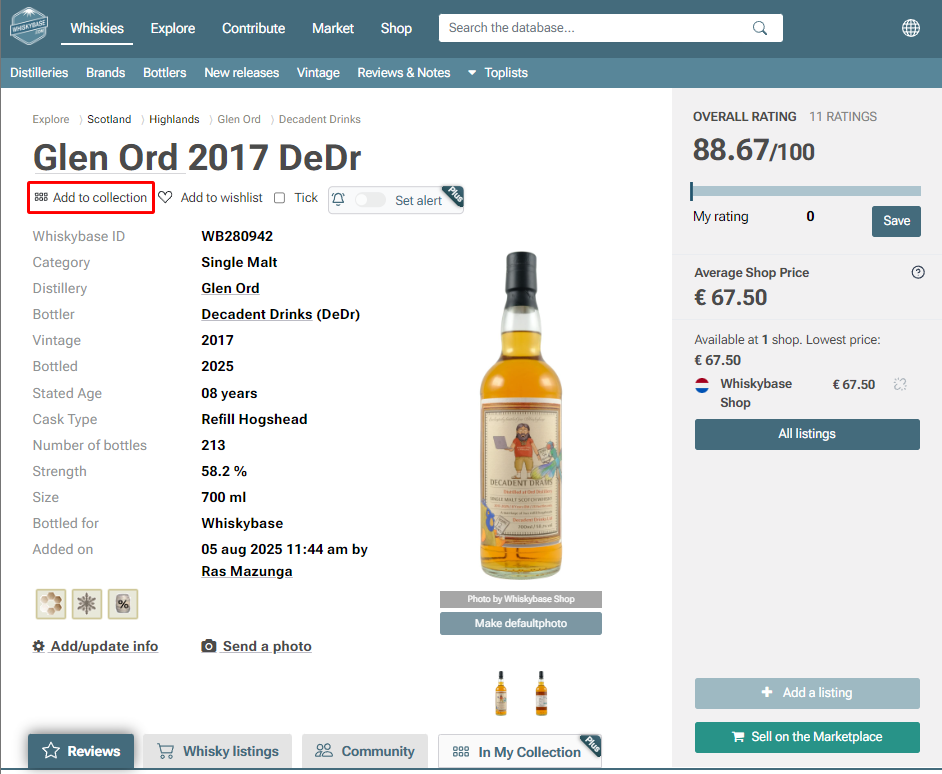
If you are using a mobile device, the option appears in the same way, just adapted to the mobile layout.
2. What kind of information you can enter when adding a bottle
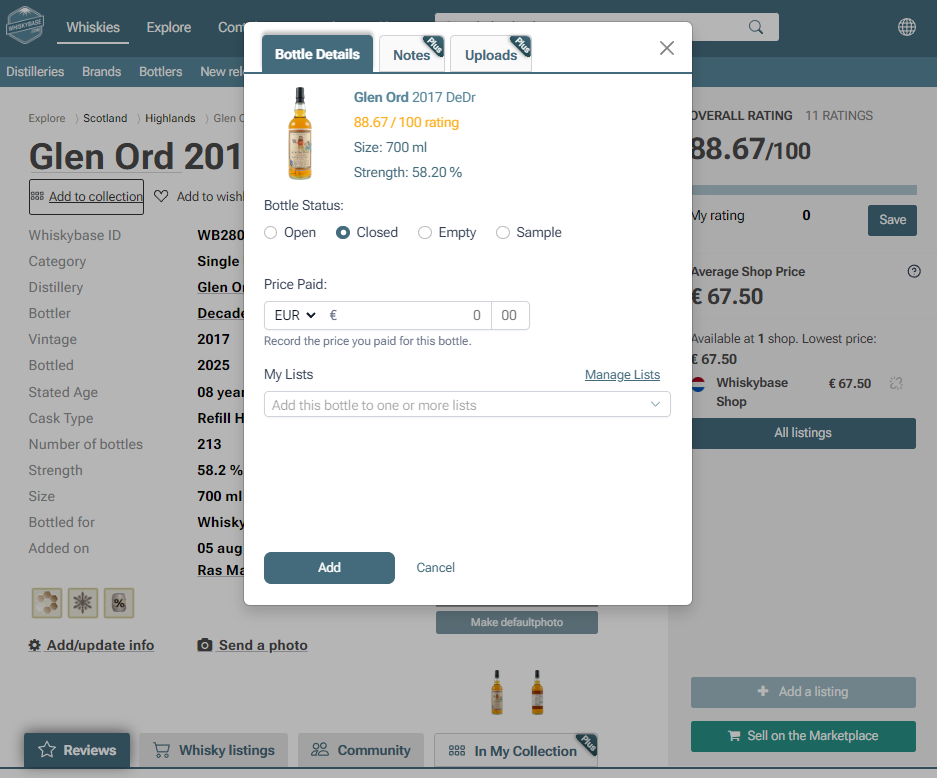
When you select Add to collection, you can fill in the following details:
Bottle status
Choose whether your bottle is sealed, opened, empty, or another status.Price paid
Enter how much you paid for the bottle so you can track your spending.My lists
You can add the bottle to any of your custom lists for easier organisation.
3. Extra features for Whiskybase Plus members
Whiskybase Plus members get access to additional collection tools that make tracking and organizing bottles even easier. These include:
Uploading photos of your bottle
Uploading files such as purchase receipts
Adding private notes
Saving draft reviews
Recording extra details such as purchase location
These features help you build a complete and well organized record of your collection. Avid collectors see this feature as an incredible tool to help them keep track of their continuously growing collection of whisky bottles.
Want to learn more? Discover what Whiskybase Plus offers and how it can enhance your whisky journey.Was this article helpful?
That’s Great!
Thank you for your feedback
Sorry! We couldn't be helpful
Thank you for your feedback
Feedback sent
We appreciate your effort and will try to fix the article